
Your referral program is probably built to listen for a billing event that never comes. If you're not on Stripe or Chargebee, that invoice.paid signal doesn't exist. That means your referral program manual billing workflow needs a different trigger entirely, whether that's a HubSpot deal stage or a direct API call from your backend.
- Why referral attribution breaks outside Stripe and Chargebee
- How referral programs track conversions without a native billing integration
- Using HubSpot deal stages as the conversion trigger
- Setting up the referral code to travel through your CRM
- Firing custom API events for non-CRM billing flows
- Manual invoicing and bank transfer: closing the attribution loop
- Org-level attribution when the payer and referrer differ
- Reward trigger configuration for sales-led conversion events
- Testing your non-standard attribution setup before going live
- How Cello handles referral attribution outside Stripe and Chargebee
- Final thoughts on referral attribution without a native billing integration
TLDR:
- Referral attribution breaks outside Stripe and Chargebee because no billing webhook fires to carry the referral code forward.
- Capture
cello_uccat link-click and write it to both a Contact and Deal property in HubSpot, or attribution is unrecoverable by payment time. - Two paths close the gap: HubSpot deal stage webhooks and direct REST API calls from your backend fired on payment confirmation.
- For bank transfer and ACH flows, middleware tools like Zapier or Make can route an accounting status change into a CRM trigger that fires attribution.
- Cello writes the referral code to the customer record at click time, so a 30-day or 60-day payment window does not break attribution provided the code was persisted correctly.
Why referral attribution breaks outside Stripe and Chargebee
Stripe and Chargebee make referral attribution straightforward because they fire predictable webhooks: invoice.paid lands, the system reads the cello_ucc metadata field on the customer object, and the reward triggers. The entire flow depends on that webhook existing.
When billing lives outside those systems, the webhook never fires. A sales rep closes a deal in HubSpot, the finance team sends a PDF invoice, the customer pays via bank transfer three weeks later. Nothing in that sequence produces an invoice.paid event. The referral code that traveled with the prospect has nowhere to land.
This is the structural gap: referral attribution expects a billing event as the conversion signal. Without one, attribution sits in an unresolved state indefinitely. The referral happened, the deal closed, but the system has no way to know.
Manual billing workflows, ACH transfers, net-30 invoices and custom ERP systems all share this broken referral tracking problem. They produce revenue without producing the machine-readable event that referral attribution depends on.
How referral programs track conversions without a native billing integration
When Stripe or Chargebee are absent, two substitution mechanisms cover the attribution gap: custom API events and CRM deal stage triggers.
A custom API event is any server-side call your system makes to Cello's API confirming a conversion has occurred. A CRM deal stage trigger fires when a deal moves to a defined stage in HubSpot (such as "Closed Won") and that transition is forwarded to Cello as a conversion signal.
Both paths share one prerequisite: the referral code must be captured earlier in the funnel and persisted somewhere your system can retrieve it at conversion time. A contact record, deal property, or custom field all work. If the code travels with the prospect through your CRM and your team can read it when the deal closes, you have everything you need to fire attribution.
The billing integration was never irreplaceable. It was simply a reliable, automated signal that a conversion occurred. Any event your stack can emit with equivalent reliability does the same job.
Using HubSpot deal stages as the conversion trigger
HubSpot workflows can post a webhook when a deal reaches a defined stage, and that webhook becomes the conversion signal that replaces invoice.paid, a pattern covered in this HubSpot Stripe referral software guide. Create a workflow with a deal-based trigger, set the enrollment condition to "Deal Stage is Closed Won," and add a webhook action in HubSpot workflows pointing to Cello's API endpoint.
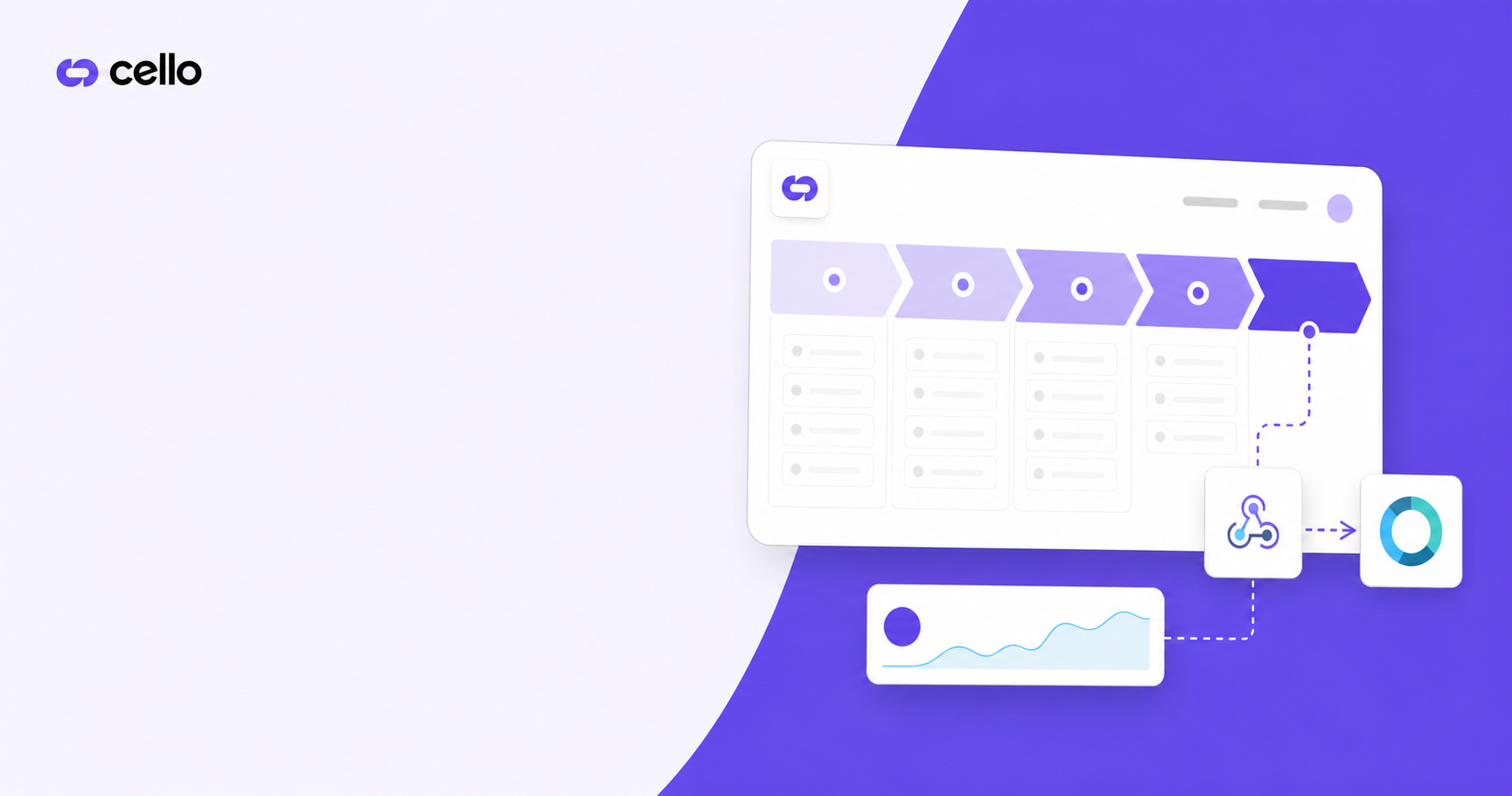
The JSON payload needs three fields at minimum: the referral code (cello_ucc), the new user ID, and an optional organization ID for org-level attribution. Those values should already live on the deal record as custom properties if the referral code was captured at link-click and written forward through your funnel.
{
  "ucc": "{{deal.cello_ucc}}",
  "newUserId": "{{deal.associated_contact_id}}",
  "newUserOrganizationId": "{{deal.associated_company_id}}"
}
Two failure modes cause silent misattribution here.
- Re-enrollment: HubSpot workflows do not re-enroll a deal by default if it has already passed through the trigger condition once. If a deal moves back to an earlier stage and then re-closes, the webhook does not fire again unless you explicitly turn on re-enrollment. This matters less for attribution and more for avoiding duplicate conversion events if you do turn it on.
- Stage name collisions across pipelines: if your HubSpot account has multiple pipelines each with a stage named "Closed Won," a workflow built without a pipeline filter fires for every deal in every pipeline that hits that stage name. Scope the trigger to a specific pipeline to prevent attribution firing for deal types your referral program was never meant to cover.
Setting up the referral code to travel through your CRM
The referral code must be written to your CRM the moment a prospect clicks the referral link. Capture it then, and it survives a six-month B2B sales cycle. Wait until signup or demo booking, and any deal that moves across stages without a re-touch loses its attribution.
When a prospect clicks a referral link, the cello_ucc value arrives as a URL parameter on your landing page. Read that parameter and pass it to HubSpot immediately via the HubSpot Forms API or a hidden field on the form the prospect completes. A workflow then stamps it onto the Contact record as a custom text property.
You need two custom properties:
- A Contact property named
cello_uccto store the code at lead capture - A Deal property with the same name, populated by a workflow that copies the Contact property when a deal is created and associated
That two-step copy matters because HubSpot webhooks post deal data when a deal stage changes. If the code lives only on the Contact, your conversion webhook cannot read it without an additional API call.
One constraint: if a prospect visits via a referral link but does not complete a form in that same session, the URL parameter is gone. A session cookie or localStorage write that persists cello_ucc and attaches it to the next form submission closes that gap.
Firing custom API events for non-CRM billing flows
For teams on custom billing engines or in-house invoicing systems, a direct POST to Cello's REST API from your own backend, fired once payment is confirmed, is the correct approach.
The ucc field carries the referral code captured at link-click and stored in your database against the prospect, similar to how a Segment referral tracking setup forwards identity events to Cello. The newUserId must be the authenticated user ID Cello received during signup tracking. If those two values do not resolve to the same person in Cello's attribution graph, the event is rejected silently.
The harder problem is asynchronous payment confirmation. In manual invoicing flows, account creation often happens before payment clears. Store the ucc value against the internal account record at signup, then fire the API event only when your payment-confirmed webhook or finance reconciliation marks the invoice as paid. Cello does not impose a hard expiry on unresolved referral codes, so a 30-day or 60-day payment window does not break attribution provided the code was captured and persisted correctly at click time.
Manual invoicing and bank transfer: closing the attribution loop
When payment arrives via bank transfer or ACH, there is no system-generated event. Finance confirms receipt in QuickBooks, Xero, or a spreadsheet, and that confirmation lives entirely outside any webhook pipeline.
Two paths close the attribution loop.
The first is middleware routing. Zapier, Make or n8n can watch for a status change in your accounting tool and forward it downstream, much like the webhook routing used for Stripe referral tracking. When an invoice moves to "Paid" in Xero, a Zap updates the HubSpot deal stage to "Closed Won," which triggers the attribution webhook. The middleware manufactures the CRM signal that a bank transfer cannot produce on its own.
The second is direct API attribution. Finance marks an invoice paid, a simple internal form or Slack-to-webhook integration fires the Cello API event with the stored cello_ucc and user ID, and attribution closes. It requires discipline, not engineering.
The part that breaks most often is not the trigger mechanism but referral code retrieval. By the time a bank transfer clears, the original prospect contact may have been merged, reassigned, or archived. If cello_ucc was never written to the deal record at lead capture, there is nothing to retrieve at payment time. Every manual invoicing workflow depends on that code being persisted correctly at the top of the funnel.
Org-level attribution when the payer and referrer differ
In sales-led SaaS referral programs, the product user who shares a referral link and the finance contact who signs the contract are almost never the same person. Standard user-ID attribution fails here because the billing event carries the payer's identity, not the referrer's.
Cello resolves this with new_user_organization_id. You pass a shared organizational identifier that maps to the account, not to any individual contact. When your conversion event fires, Cello looks for a referral code associated with that organization, finds the original referrer, and attributes correctly regardless of which individual completed payment.
In HubSpot, your conversion webhook payload should carry the associated Company ID in the newUserOrganizationId field. The HubSpot Company object is the natural anchor because it persists across contact reassignments, deal stage changes and personnel turnover on the buyer's side.
Two configuration steps matter:
- Store
cello_uccon the Company record at lead capture, and also on the Contact. When a prospect from that organization clicks a referral link later, the code is already present regardless of which contact submits the form. - In your deal-stage webhook payload, populate
newUserOrganizationIdfrom the associated Company ID, not the deal owner or primary contact.
One constraint: the new_user_organization_id value must not equal new_user_id. Cello's validation rejects payloads where both fields carry the same identifier, since that signals a misconfiguration, not a legitimate org-level attribution event.
Reward trigger configuration for sales-led conversion events
Sales-led attribution fires on CRM events, so reward triggers need to match your conversion milestones, a configuration detail covered in broader referral tracking software comparisons for B2B teams. Configure Cello to treat specific events as reward-eligible: new-signup, demo-call-attended, or a custom API event representing closed-won.
If you reward at multiple milestones, use separate campaigns per conversion type. A demo booking and a closed contract carry different economics, so campaign separation is required as a single campaign cannot hold two distinct reward amounts across different trigger events.
Payout delays are the primary protection in manual billing workflows. Because payment confirmation can arrive weeks after deal closure, configure a delay window that holds the reward until revenue is confirmed. The Cello team sets this window; it is not self-serve in the portal.
Fraud controls in sales-led flows
Without automated billing event linkage, the manual review workflow carries more weight than in standard product-led growth setups. Flag deals where the referred contact's tenure is short, payment is unconfirmed, or the referrer churned before payout clears. Cello's risk-factor monitoring for unusual usage patterns runs across the review window, but the Review Referrals workflow is the primary control here.
Testing your non-standard attribution setup before going live
Non-standard integrations fail silently, a recurring theme in referral tracking overall. A Stripe webhook either fires or throws an error you can investigate. A HubSpot workflow that misfires just does nothing, and the deal closes with no attribution record.
Run these checks before launching:
- Manually move a test deal to your "Closed Won" stage in the actual production pipeline, not a copy. Multi-pipeline stage name collisions only surface here.
- Confirm the webhook fired by checking HubSpot's workflow history. A green execution means HubSpot attempted delivery, not that the payload arrived correctly.
- Open Cello's Event Feed and filter by the conversion event type. Verify the event appears, the
uccfield is populated, andnewUserOrganizationIddoes not equalnewUserId. - Check that the referral code in the event matches the test referrer's assigned code. A mismatch means the code was overwritten or not persisted correctly at lead capture.
If the event arrives but the reward does not trigger, check in this order: whether the campaign is active, whether the test user ID matches a recognized referrer, and whether a payout delay is holding the reward in review. Cello's Integration Status Page surfaces connection health across each component to isolate which layer broke before you escalate.
How Cello handles referral attribution outside Stripe and Chargebee
Cello's attribution architecture is built around one structural decision: the referral code is written to the customer record at the moment of link click, not at signup or payment. By the time a deal closes six weeks later via bank transfer, the cello_ucc value is already persisted in your CRM. Cello reads that value when the conversion signal arrives.
For HubSpot-driven funnels, Cello's HubSpot integration handles deal stage transition attribution without requiring visibility into deal amounts. Stage changes fire conversion signals directly to Cello, which suits sales teams with deal-value confidentiality requirements.
The three supported conversion event types map to the funnel milestones covered in this post:
|
Conversion event |
Funnel milestone |
|---|---|
|
|
Lead capture or trial start |
|
|
Qualified demo completed |
|
|
Closed contract or manual payment confirmed |
For fully custom billing systems, Cello's REST API accepts manual conversion events. Historical referrals can also be imported via the portal to backfill attribution during migrations from spreadsheet-based programs, which matters for accurate referral program ROI measurement.
Teams whose payments arrive via bank transfer or bespoke invoicing systems should configure manual reward processing mode, an alternative to the compliant payout routing described in this guide to compliant SaaS referral payouts. Attribution tracking and fraud detection run as normal; fulfillment routes through your own finance infrastructure instead of Cello's automated payout pipeline.
Final thoughts on referral attribution without a native billing integration
Manual billing, bank transfers, and custom invoicing systems are not obstacles to referral attribution. They just require a different trigger. The code travels with the prospect, your CRM holds it through the sales cycle, and your conversion event fires when payment confirms. That sequence works whether your billing runs through HubSpot, Xero, or a spreadsheet your finance team maintains. Set up your referral program with Cello and configure attribution around the conversion signals your team actually controls.
Can Cello track referral conversions when deals close through manual invoicing or bank transfer instead of Stripe?
Yes. When no billing webhook exists, two paths close the attribution loop: a direct POST to Cello's REST API fired once your finance team confirms payment, or a HubSpot workflow that posts a webhook when a deal reaches
How does the referral code survive a 60-day B2B sales cycle in a HubSpot-driven funnel?
Capture cello_ucc from the URL parameter the moment a prospect clicks a referral link, write it to the HubSpot Contact record via a hidden form field or the Forms API, then copy it to the associated Deal record via a workflow. Because Cello writes attribution at click time (not at signup or payment), the code is already in your CRM before the deal enters the pipeline. By the time a stage-change webhook fires at "Closed Won," the referral code is retrievable regardless of how many contacts, reassignments or stage reversals occurred in between.
What's the best way to handle referral attribution in a SaaS referral program when the person who signs the contract is different from the user who shared the referral link?
Pass `new_user_organization_id` in your conversion webhook payload rather than relying on individual user IDs. Map this field to the HubSpot Company ID, which persists across contact reassignments and personnel changes on the buyer's side. Store `cello_ucc` on the Company record at lead capture — not only on the Contact — so the referral code is present regardless of which individual submits the form. One hard constraint: `new_user_organization_id` must not equal `new_user_id` or Cello's validation rejects the payload.
How do I test a non-standard HubSpot attribution setup before going live with my referral program?
Move a test deal to "Closed Won" in the actual production pipeline, since multi-pipeline stage name collisions only surface in production, not in copies. Check HubSpot's workflow history to confirm the webhook fired, then open Cello's Event Feed and filter by the conversion event type. Verify the event appears, the ucc field is populated, and newUserOrganizationId does not equal newUserId. If the event arrives but no reward triggers, check in this order: whether the campaign is active, whether the test user ID matches a recognized referrer, and whether a payout delay is holding the reward in review.
What happens to referral attribution when payment arrives via ACH or bank transfer and there is no system-generated event?
Middleware tools such as Zapier, Make or n8n can watch for an invoice status change in your accounting system — Xero, QuickBooks — and forward it to HubSpot as a stage update, which then fires the attribution webhook. Alternatively, a direct API call to Cello from your backend, triggered when finance marks an invoice paid, closes the loop without CRM involvement. The failure point in both paths is almost never the trigger mechanism — it is the referral code not being persisted on the deal record at lead capture. By the time a bank transfer clears, a contact may have been merged or archived; if `cello_ucc` was never written to the deal, there is nothing to retrieve at payment time.
Can I fire a referral conversion event from my own backend when we don't use Stripe or Chargebee at all?
Yes. A direct POST to Cello's REST API from your backend, triggered once payment is confirmed in your system, replaces the billing webhook entirely. Include the referral code (`cello_ucc` captured at link-click), the authenticated user ID, and optionally an organization ID — Cello treats this API event as the conversion signal and triggers reward logic from there
Should the referral conversion event fire on demo booking or closed contract in a sales-led HubSpot funnel?
It depends on your reward economics. Cello supports both `demo-call-attended` and a closed-won deal stage trigger as distinct conversion event types, so you can reward at whichever funnel milestone your program is built around. If you want to reward at both milestones with different amounts, use separate campaigns — a single campaign cannot hold two distinct reward amounts across different trigger events.
How do I set up the HubSpot workflow so the referral code reaches the deal record before the stage-change webhook fires?
Create a contact-level custom property named `cello_ucc` and populate it via a hidden form field or the HubSpot Forms API the moment a prospect clicks a referral link. Then build a second workflow that copies the contact property to a matching deal property when a deal is created and associated with that contact. The stage-change webhook reads from the deal record — if the code only lives on the contact, it is not accessible when the webhook fires at Closed Won.
What's the right approach for referral attribution in a SaaS referral program when payments come in via net-30 or net-60 invoices?
Store `cello_ucc` against the deal or account record at lead capture, then fire the Cello API event only when your finance team confirms the invoice as paid — not at deal closure. Cello does not impose a hard expiry on unresolved referral codes, so a 60-day payment window does not break attribution provided the code was captured and persisted correctly at link-click time.
How does org-level attribution prevent misattribution when multiple contacts from the same company interact with a referral link at different points in a long sales cycle?
Pass `new_user_organization_id` mapped to the HubSpot Company ID rather than any individual contact ID. Store `cello_ucc` on the Company record at lead capture so the code persists regardless of which contact submits a form or gets reassigned during the deal. One hard constraint: `new_user_organization_id` must not equal `new_user_id` — Cello's validation rejects payloads where both fields carry the same identifier.
Does Cello's referral attribution work if there's no Stripe customer object to write the referral code to?
Yes. When Stripe is absent, the referral code is stored in your own system — a CRM contact, deal property, or database record — rather than Stripe metadata. The write-at-click principle still applies: capture `cello_ucc` the moment a prospect clicks the referral link and persist it immediately. Your conversion signal then carries that stored code to Cello via a HubSpot deal stage webhook or a direct API call, closing attribution without any Stripe dependency.
What payout delay configuration exists to protect against rewarding referrals that come from manual invoices that later go unpaid or disputed?
Cello supports configurable payout delay windows that hold rewards until revenue is confirmed, protecting against unpaid invoices or reversed payments. The delay period is set by the Cello support team rather than configured self-serve in the portal, so customers with manual invoicing workflows should request a delay window during onboarding. Pending rewards are also automatically cancelled when a `charge.refunded` event fires from Stripe, though for non-Stripe flows the fraud review workflow carries more operational weight.
How do I verify that my custom API event or HubSpot webhook actually reached Cello before going live with the referral program?
Open Cello's Event Feed in the portal and filter by the conversion event type after triggering a test. Confirm the event appears, the `ucc` field is populated with the correct referral code, and `newUserOrganizationId` does not equal `newUserId`. If the event arrives but no reward triggers, check in order: whether the campaign is active, whether the test user ID matches a recognized referrer, and whether a payout delay is holding the reward in review.
Can historical referrals closed before Cello was set up be backfilled so commission attribution is correct from the start?
Yes. Historical referrals can be manually imported via the Cello portal to backfill partner attribution for pre-Cello relationships. This matters during migrations from spreadsheet-based programs where deals already closed but attribution was never machine-recorded — importing those records into Cello gives the program a clean, accurate baseline rather than starting with a gap in the referral history.