
Sending referral data to a warehouse should extend your reporting, not turn into a project to build referral software. Your referral platform runs the program. Your warehouse connects its results with the rest of the business.
To send referral data into a data warehouse, use a supported export, API or event feed from the systems holding the records, then connect those records through shared customer and account identifiers. Agree on revenue definitions and check the result against the source systems. For Cello, confirm the available outbound data route for your requirements separately from the billing integrations that send conversion events into the platform.
- TL;DR
- What does Cello already handle?
- What does a warehouse add to referral analytics?
- How do you send referral data into a data warehouse?
- Connecting Cello reporting to a wider analytics workflow
- When Cello's own analytics is enough
- Keep referral ARR, collected revenue and contribution separate
- A reporting connection should make the next decision easier
TL;DR
- Sending referral data to a warehouse adds cross-system analysis; it does not require rebuilding your referral program.
- Cello supports user and partner referrals, reward structures and attributed ARR reporting.
- Use a warehouse to combine referral results with CRM, retention and cost data.
- Verify the data access method before committing to a warehouse workflow. An inbound billing integration is not an outbound connector.
What does Cello already handle?
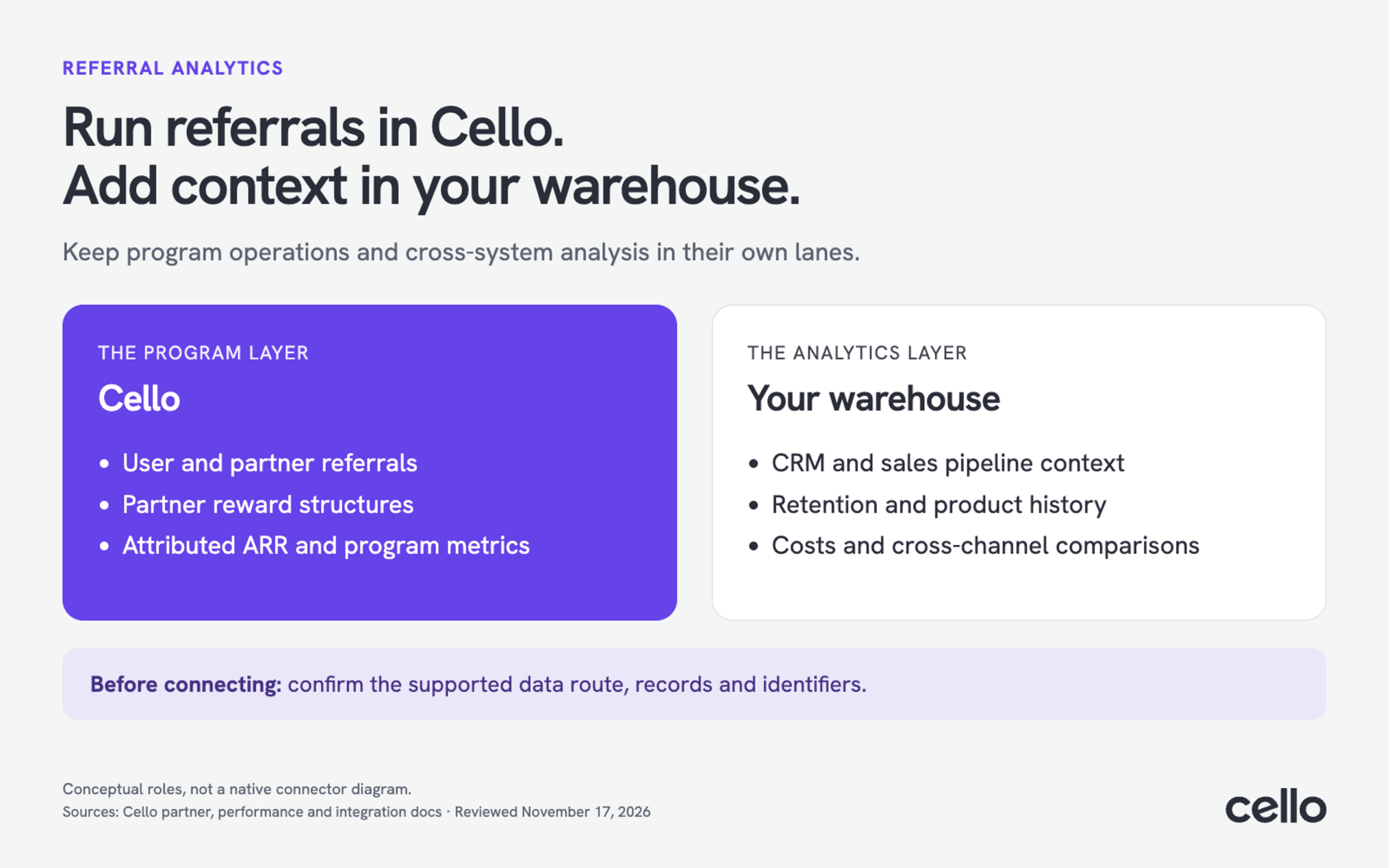
Cello provides the referral-program layer: user and partner referrals in one platform, partner invitations and reward structures, plus reporting on referral performance. These are program capabilities you can use without making a warehouse responsible for operating the referral program.
The partner program guide describes inviting partners, setting exclusive rewards and giving partners access to a portal with their sharing link, referral status and reward status. Its integration documentation explains how Stripe and Chargebee webhooks, or API submissions from other systems, bring conversion events into Cello.
For measurement, Cello's Program Performance and ARR guide documents attributed ARR and its new, expansion, contraction and churn movements. Start with those program reports before commissioning a separate analytics project.
The practical distinction: choose a referral platform to manage referrals and their program rules. Add a warehouse when your question requires information held outside that platform.
What does a warehouse add to referral analytics?
A warehouse adds a shared place to analyze referral results alongside CRM, billing, product and cost records. It helps answer cross-business questions, provided the required records are available and can be matched reliably. It does not automatically replace the attribution rules or operational workflows in your referral platform.
|
Question |
Where to start |
What a warehouse adds |
|---|---|---|
|
How is the referral program performing? |
Cello's program metrics, referrer metrics and attributed ARR |
Combined reporting alongside other acquisition channels |
|
Which referral sources bring customers who stay? |
Referral source and account-level outcomes |
Matched retention cohorts using billing or product history |
|
Which referred opportunities are still progressing? |
Referral evidence and CRM opportunity records |
A shared view of referral source, sales stage and buying account |
|
What remains after rewards and other costs? |
Payments, refunds, reward obligations and cost records |
A contribution view with an explicit definition of included costs |
These warehouse analyses are reporting use cases, not a claim that Cello supplies every required field through a native connector. Confirm the records and access method for your setup.
How do you send referral data into a data warehouse?
Start by identifying the reporting question and the systems that hold its inputs. Then confirm a supported way to obtain those inputs, match the buying account across systems, and validate one report. The work is connecting an existing referral program to business reporting, not recreating its tracking and reward logic.
- Choose the report. For example, compare referred and non-referred customer retention, or review referral-sourced pipeline by sales stage. State the period and account definition before selecting a tool.
- Confirm the data access route. Ask which supported export, API or event feed provides the referral records you need. Check historical coverage, available identifiers, update frequency and access permissions. A dashboard or metrics endpoint is not automatically a transaction-level export.
- Connect the business records. Match the referral to the buying account, then connect that account to the relevant CRM, billing or product records. Keep uncertain matches visible rather than guessing.
- Agree on measures and refresh timing. Define paid conversions, attributed ARR, receipts, refunds and costs separately. Choose a refresh schedule that supports the decision, rather than requiring real-time data by default.
- Validate the first report. Trace a few referrals to their source records, including a refund and an account with several users. Check that importing the same records twice does not increase customer or revenue totals.
Keep one clear owner for the report and one for the connection. Growth should be able to explain what the numbers mean; the integration owner should be able to explain missing or delayed records.
Connecting Cello reporting to a wider analytics workflow
With Cello, distinguish conversion tracking into the platform from access to data for downstream reporting. The documented Stripe, Chargebee and API integration paths bring conversion events into Cello. For warehouse reporting, separately confirm how to obtain the relevant records and whether their detail matches your proposed analysis.
Bring a concrete request to that discussion: “We want to compare retention for referred and non-referred buying accounts each month.” That makes it easier to identify the required account IDs, referral evidence and billing history than a broad request to “export everything.”
Before selecting the connection method, confirm:
- Which referral, account and financial records are accessible, and through what supported route?
- Do the identifiers connect to your CRM and billing customers?
- How are later refunds, corrections and historical records represented?
- What update schedule and access restrictions apply?
This guide does not prescribe a Cello-specific warehouse connector or export endpoint. The appropriate route needs to be confirmed for the records and systems involved. Keep the program in Cello while evaluating the reporting connection on its own requirements.
When Cello's own analytics is enough
You do not need a warehouse for every referral question. Cello already documents program funnels, referrer metrics, attributed ARR and trends. If those cover the decision, use the existing reporting instead of adding a data pipeline solely to reproduce the same view.
Cello also documents read-only MCP tools for program metrics, referrer lookup and top referrers. That provides an AI-client route to supported program information. It is distinct from a warehouse sync and should not be treated as a bulk transaction export.
Use program reporting for questions such as how referral performance is changing or which referrers rank by attributed ARR. Consider a warehouse when the answer also depends on information outside Cello, such as support costs, product adoption or other acquisition channels.
Keep referral ARR, collected revenue and contribution separate
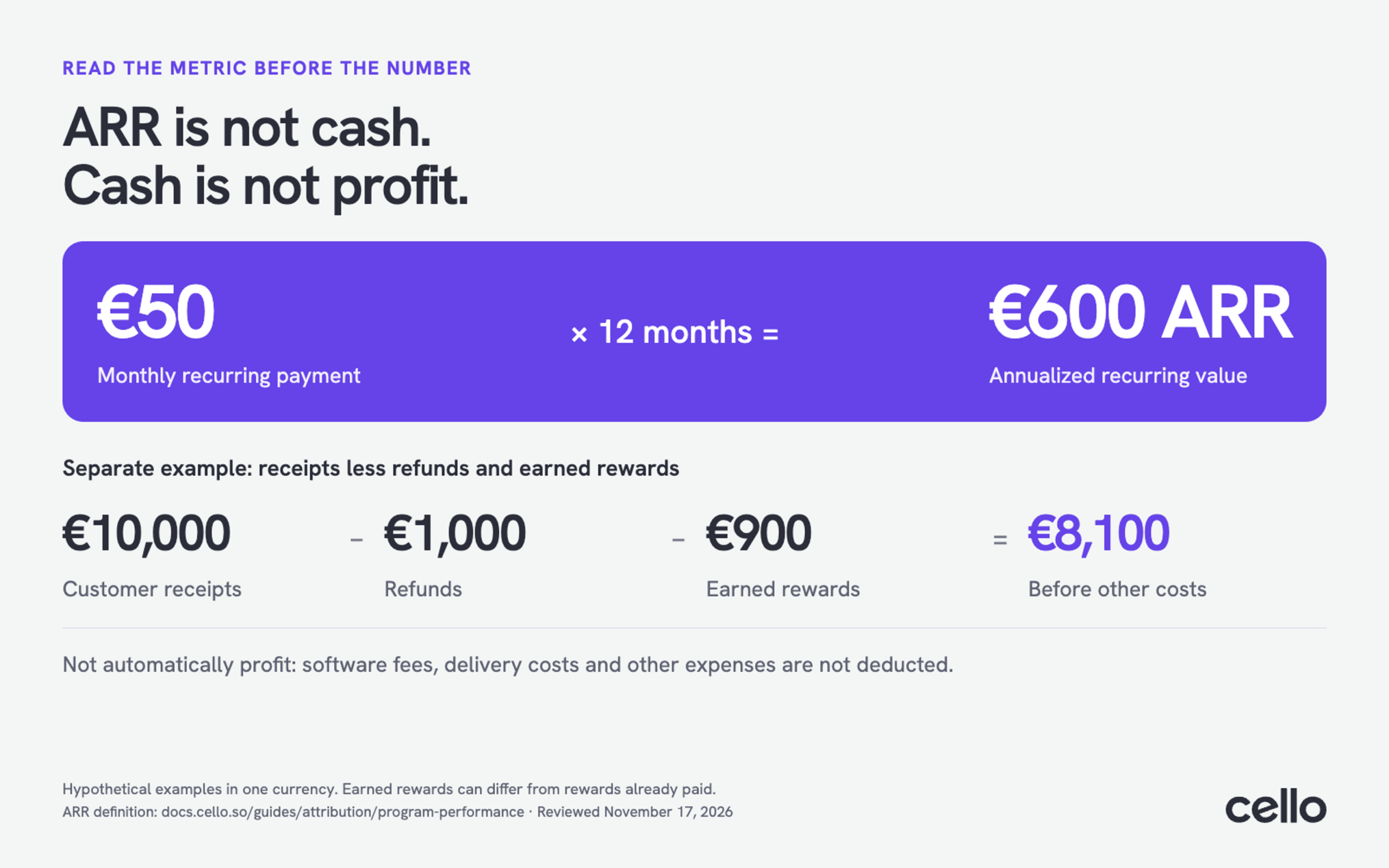
Cello's attributed ARR measures annualized recurring revenue from referred customers, calculated from invoice-paid events. It is not the same as total company ARR, cash received in a particular month or program profit. A warehouse report should preserve those distinctions rather than putting every figure under one “referral revenue” label.
For a hypothetical €50 monthly recurring payment, annualization gives €600 ARR. The cash received for that payment is still €50. Comparing the €600 annualized measure with a €50 receipt would create an apparent reporting mismatch even if both were correct.
For a separate, hypothetical contribution calculation: €10,000 in customer receipts minus €1,000 in refunds and €900 in earned rewards leaves €8,100 before software fees, delivery costs and other agreed expenses. That figure is not automatically profit. State what is included, and do not confuse rewards earned with rewards already paid.
Compare reports over the same period, currency and customer scope. For retention analysis, compare cohorts with similar time to mature. Observed differences are worth investigating, but do not establish that referral acquisition caused the outcome.
A reporting connection should make the next decision easier
The useful outcome is a team that knows which referral activity produces lasting customer value and where to act next. Cello provides the program and documented performance reporting; a warehouse can add context from the rest of your business when the required data connection is established.
Start with the existing Cello reports. If a business question remains unanswered, define the missing inputs and confirm the supported access route. Use the Cello program guide and integration overview to scope a discussion around your reporting needs, rather than starting a project to build a referral engine.
How do you send referral data into a data warehouse?
Obtain the required records through supported exports, APIs or event feeds, connect them to customer and account records, and validate the resulting report. Confirm each source's access method before choosing the pipeline.
Do I need to build referral tracking in-house?
No. Using a warehouse does not require building a referral program. Cello supports referral-program operations and performance reporting; the warehouse adds analysis across other business systems.
Does Cello have a native warehouse connector?
The documentation referenced here does not establish a native warehouse connector. Confirm the supported outbound data route for your setup with Cello before designing around one. Documented inbound billing webhooks do not establish outbound warehouse delivery.
What can I analyze directly in Cello?
Cello documents program funnel metrics, referrer metrics, attributed ARR and trends. Its performance guide explains new, expansion, contraction and churned ARR. Use those reports when they answer your program question.
Can I ask AI about Cello referral performance without a warehouse?
Cello's read-only MCP tools provide supported program metrics and referrer information to an AI client, subject to role-based tool availability. That is a separate capability from syncing records into a warehouse.
Which records should I request for warehouse reporting?
Request the records needed for a specific analysis: referral and referrer references, buying-account identifiers, dates and statuses, plus payment or reward references where relevant. This is a requirements checklist, not a guaranteed Cello export schema.
Why might Cello ARR differ from our billing report?
Cello reports attributed, annualized recurring revenue for referred customers. A billing report might show all customers or only cash received during the month. Align the metric, customer scope and time period before treating the difference as an error.
How should we handle privacy and data access?
Move only the data required for the report, restrict access to identifiable records, and apply the relevant retention and deletion rules to downstream copies. An analytics connection should not broaden access beyond the intended users.